TrendCharts India

Elliott Wave

Most Popular & Trusted Wave Strategy for Professional Traders
Elliott Wave

For Windows Laptop, Desktop, VPS & AWS.

Features of Elliott Wave Software

Automatic wave counts.

Advanced professional charting.

Manual wave counts.

Intraday & Positional

Easily find trade setups.

Good Risk & Reward Ratio

Wave Scanner & Forecasts.

Elliott Wave ABC Pattern

Supported Trading Style

Scalping

Intraday

Swing

Positional

Future

Stocks

Commodity

Forex & Crypto

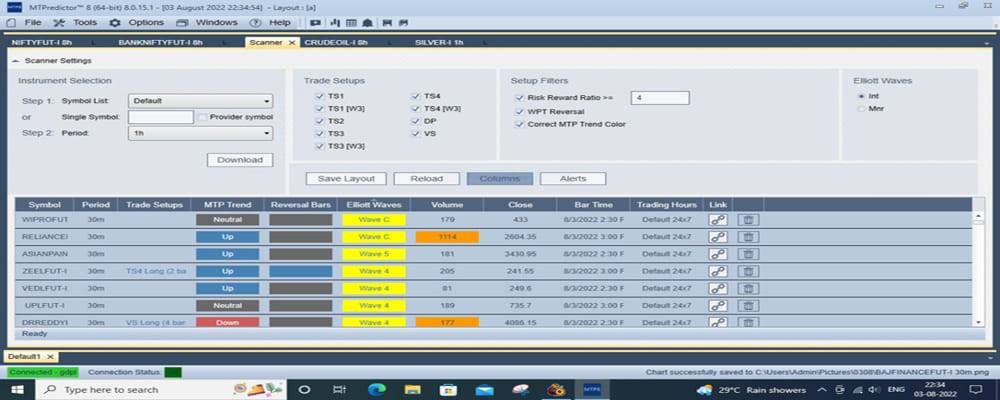
Elliott Wave Scanner Window

Time Frame

Symbol Name

Trade Setup

Waves Count

Wave Trend

Trade Pattern

Volume

Risk Reward Ratio

Time

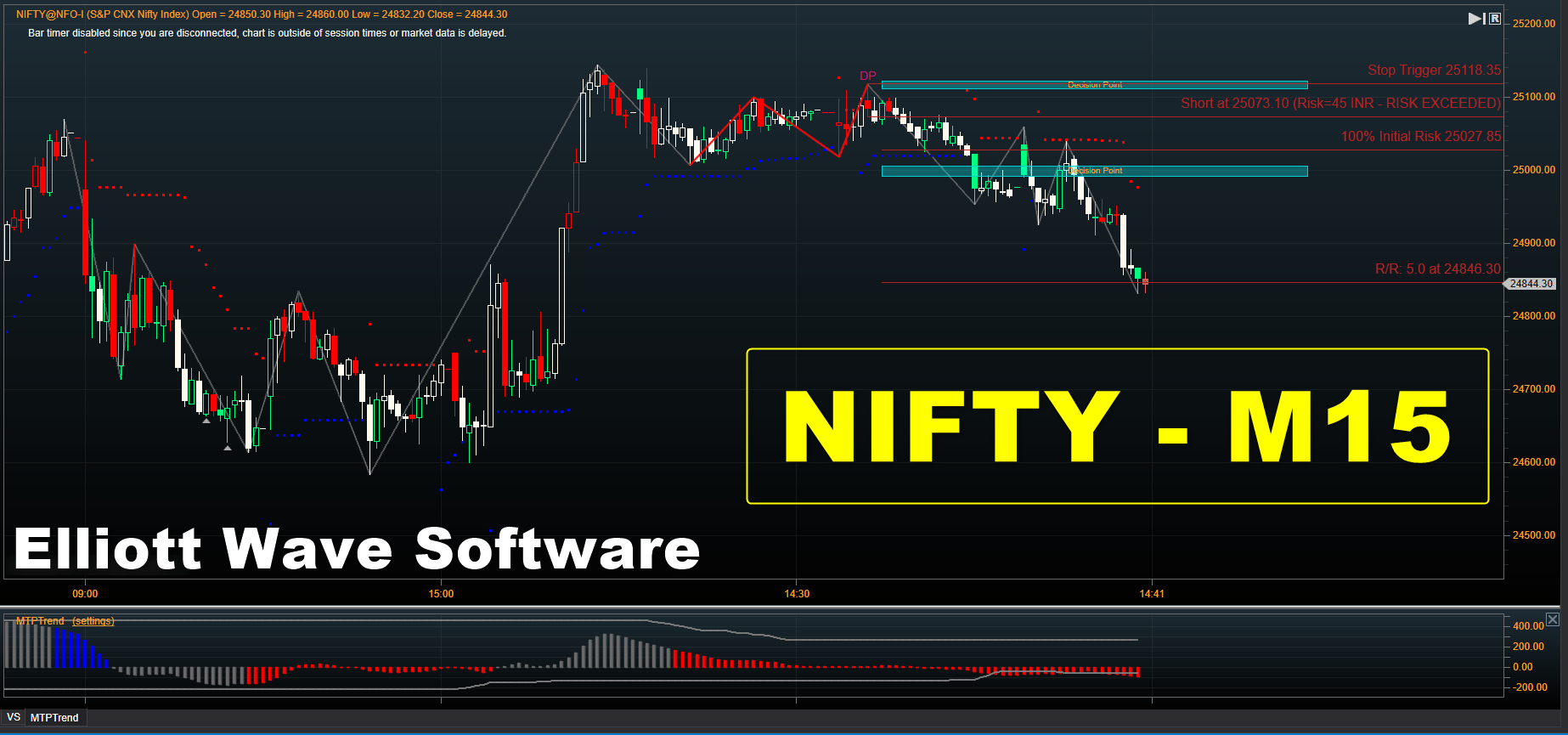
Elliott Wave Indicator (Trade Setup)

Auto Trader Setup

Manual Trade Setup

Training Details of Elliott Wave Full Software

Elliott wave Scanner & Indicator

Automatic & Manual Trade Setups

Intraday & Positional Trading Strategies

Risk & Money Management

Pricing of Elliott Wave Scanner and Support

Scanner & Indicator (Lifetime)

Forex & Crypto Feed (Lifetime)

Full Training & Support (01 Year)

Subscription
₹ 15,000

Indian Market Live Feed @ ₹ 400/Month or ₹ 3,600/Year.

Charges (₹ 4,500) Applicable in case of Reinstallation.

Request a Call Back

Automated Trade Setup
Identification

It refers to the built in Trade Setups (TS) that are instantly recognized and displayed on your charts the moment they occur, requiring no manual input. These automatic setups appear in real time, giving traders immediate visibility of potential opportunities. Each Trade Setups (TS) is explained in straightforward trading language so you can clearly understand what the setup represents, when it appears, and how traders typically use it in practice.

Where it appears:
• TS1 – Continuation after Correction.
• TS2 – Continuation after Correction (More Complex).
• TS3 – ABC Correction Continuation.
• TS4 – ABC Correction Continuation (More Complex).
• W3 - Wave 3 Variations (of TS1, TS3, TS4).
• DP – Decision Point (Reversal / Exhaustion Setup).
• VS – Volume Spike Setup.

TS1 – Continuation after Correction

A trend pause/correction that’s likely to end and continue in the same trend direction.

Where it appears:
• In a strong uptrend or downtrend.
• After a pullback or sideways correction.

How traders use it:
• Enter in the direction of the main trend.
• Stop usually below/above the correction.
• Targets are projected automatically on Chart.

➡️ Think: “Trend is resting… now ready to continue.”

📊 TS2 – Continuation after Correction (More Complex)

A deeper or more complex correction than TS1, but still a trend continuation setup.

Where it appears:
• In trending markets.
• After a bigger or messier pullback.

How traders use it:
• Wait for confirmation (trigger bar / signal).
• Trade in the original trend direction.
• Often offers better R:R than chasing breakouts.

➡️ Think: “Trend pulled back harder, but structure still supports continuation.”

📊 TS3 – ABC Correction Continuation

A classic ABC corrective pattern inside a trend.

Where it appears:
• During trends.
• When price makes a 3-leg correction (A-B-C).

How traders use it:
• Enter at the end of C leg.
• Trade in trend direction.
• Very popular with Elliott Wave traders.

➡️ Think: “Correction is complete, next impulse leg is starting.”

📊 TS4 – ABC Correction Continuation (More Complex)

A variation of the ABC correction—more complex structure than TS3.

Where it appears:
• In trends with choppy or overlapping corrections.

How traders use it:
• Same idea as TS3: trade trend continuation.
• Often needs a bit more patience and confirmation.

➡️ Think: “Messy correction, but still a continuation pattern.”

🌊 W3 - Wave 3 Variations (of TS1, TS3, TS4)

Special versions of setups that aim to catch Elliott Wave 3 — usually the strongest and fastest wave.

Why Important:
• Wave 3 is typically high momentum.
• These are considered higher probability setups.

How traders use it:
• More aggressive targets.
• Often favoured for Trend Acceleration Trades.

➡️ Think: “This isn’t just continuation… this could be the power move.” 🚀

🔁 DP – Decision Point (Reversal / Exhaustion Setup)

A Trend Exhaustion or Potential Reversal area.

Where it appears:
• Near tops or bottoms.
• After extended moves.

How traders use it:
• Look for Reversal Entries.
• Or take Profits / Tighten Stops on trend trades.
• Needs confirmation (don’t blindly fade trends).

➡️ Think: “Trend might be running out of fuel here.”

📊 VS – Volume Spike Setup

A setup based on abnormal volume spikes, often signalling climax or smart money activity.

Where it appears:
• Near reversals or important turning points.
• Sometimes at breakout or breakdown zones.

How traders use it:
• Look for reversal or strong reaction after spike.
• Combine with structure / DP / support-resistance.

➡️ Think: “Big players just did something important here.”

🧠 Simple Mental Map

• Trend continuation: TS1, TS2, TS3, TS4, Wave 3 variants.
• Reversal / exhaustion: DP, VS.
• High momentum continuation: Wave 3 setups.

📊 WPT Zones - Wave Price Targets Zone

WPT zones are projected areas on a chart that anticipate where the next Elliott Wave swing is likely to end.

How it Works:
• They are calculated using clusters of Fibonacci price levels specific to the wave in question.
• Traders use these zones to forecast potential turning points in the market.

How traders use it:
• Designed to be used alongside a trader’s manual Elliott Wave count.
• The software provides options to select pivots (e.g., last pivot, pivots back, bar number) to display WPT targets.

➡️ Purpose: Helps traders identify high-probability support / resistance zones in advance, improving trade planning and risk management.
Request a Call Back

UPI ID- mt4@ptyes
Google Pay- 8860 575885
Phone Pay- 8860 575885
-------------------------------
A/C Transfer
BANK- KOTAK BANK
A/C NO.- 4850467174
IFSC CODE- KKBK0004661
NAME-ANKITA RAJPUT
UPI & BANK PAYMENTS
Pay & Send Screenshot on +91 8860 575885
Independence-Day-PNG-Picture

Independence Sale

Ends in
Days
Hours
Minutes
Seconds